Introduce ShakeBugs for .NET MAUI
Collecting bugs and improvements in production from the end users

Overview
As an mobile app developer, you might ever think if your users can be your app testers who can log an encountered bug with a lot of details for our triage and bug fixing like screenshot, app logs, etc. Sometime, your users also want to give an idea of improvement, but they can't help.
Understanding this paint point, there are many services out there to help us. ShakeBugs is one of them, an SaaS service for collecting and managing bugs and improvements from our app users in production.
This article will guide you how to integrate ShakeBugs SDK into your .NET MAUI application step by step.
Prerequisites
.NET 8
Java SDK 17
Visual Studio on Windows or Visual Studio for Mac, alternatively
JetBrains Rider alternatively
Visual Studio Code with .NET MAUI extension
.NET workloads for .NET MAUI
Steps
1/ Create ShakeBugs apps for iOS and Android
Creating ShakeBugs apps is pretty easy, you can simply follow the steps as you go after logging in in their portal.
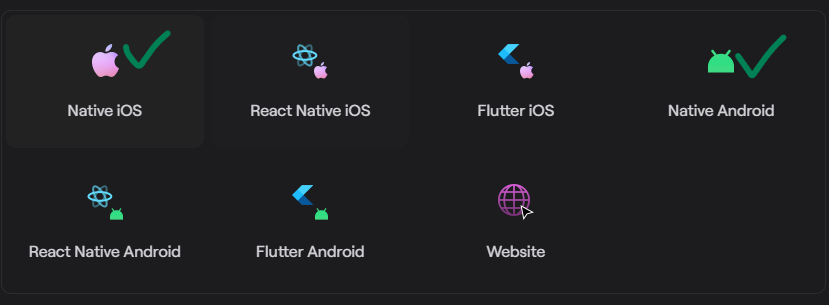
We need to create two apps
One for Native Android
One for Native iOS
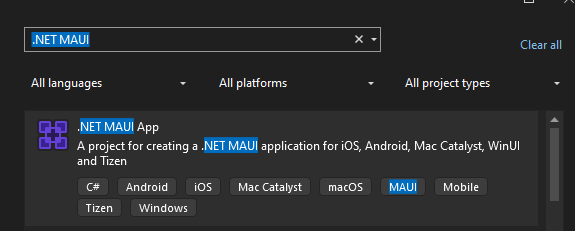
2/ Create a new .NET MAUI project
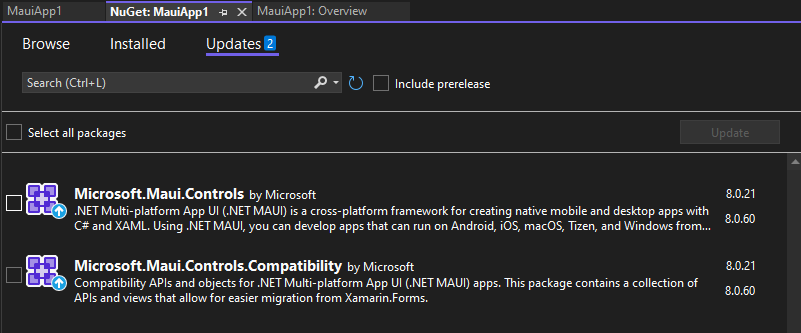
NOTE: Please update all .NET MAUI packages to the latest version (8.0.60 at the time of this writing).
NOTE: As we only target Android and iOS platforms, so we should remove other platforms from our CSPROJ file.

3/ Install ShakeBugs for .NET MAUI NuGet package
You can search for ShakeBugs.Maui from the NuGet package manager window.
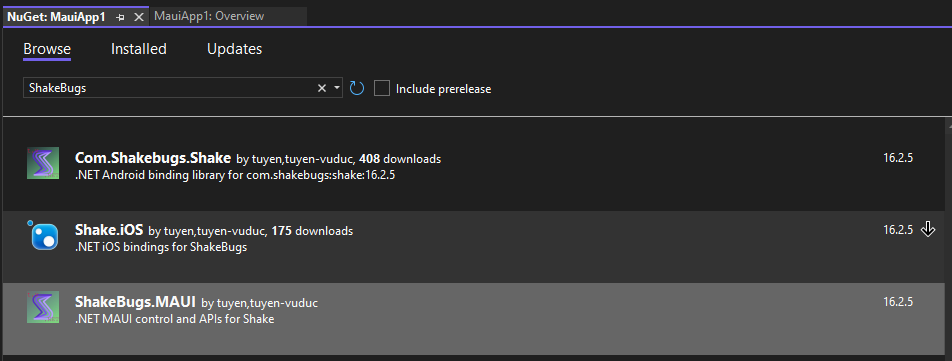
Or you can simply open the CSPROJ file then add these lines
<PackageReference Include="ShakeBugs.MAUI">
  <Version>17.0.0</Version>
</PackageReference>
4/ Amend MauiProgram.cs to have ShakeBugs enabled
builder
    ...
    .UseShakeBugs(
        androidApiKey: "YOUR_ANDROID_API_KEY",
        iosApiKey: "YOUR_IOS_API_KEY",
        crashReportingEnabled: true
    )
    ...
5/ Voila! Run the app up and shake your device
After you get above steps done, you are now ready to check out ShakeDebugs user interface with two steps
1/ Run up the app
2/ Shake your device
Wrap ups
I just guided you on how to integrate ShakeBugs SDK into a .NET MAUI project. You can follow the steps and add it to your project(s) easily.
Documents from ShakeBugs are also very helpful, please take a look to understand all features it provides.
If you want to check out the source code of the binding libraries, you can check it here. If you want to check out the source code of the .NET MAUI library (along with a sample app), you can check it here.
Happy coding!!!
About the author
Tuyen is a very skilled C#.NET developer with many years of building large systems for banking, real estate and ecommerce. He is also very strong in mobile application development across different stacks like Flutter, ReactNative, Xamarin.Forms/.NET MAUI.
Comments
Join the discussionNo comments yet. Be the first to comment.
Libraries for .NET MAUI
In this series, I will introduce my own libraries for .NET MAUI which are built on top of my binding libraries and/or the libraries from the community to help you get started quickly.